
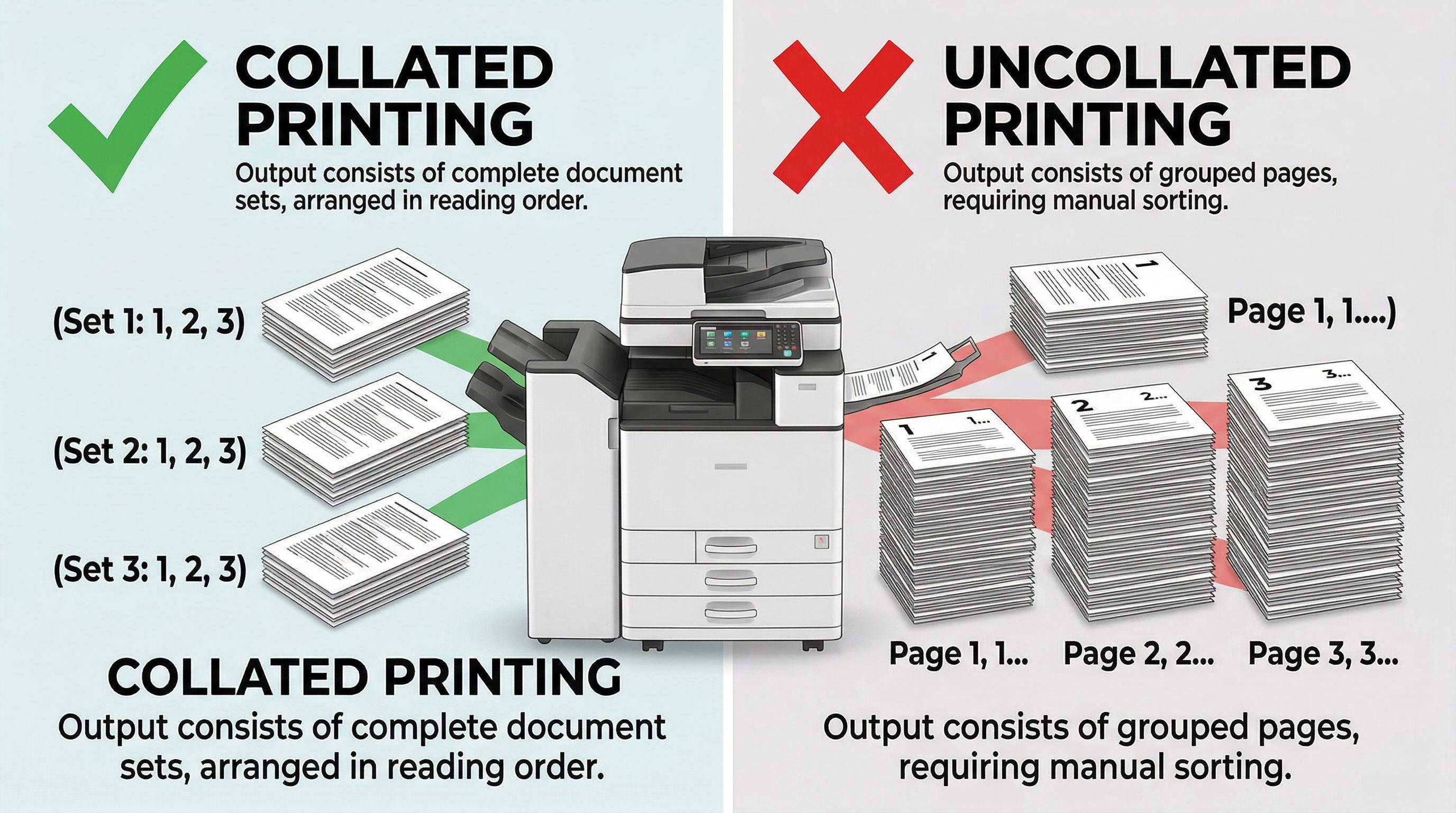
Printing multiple copies of a document can be confusing if you don’t understand the collate vs uncollated printing options. Choosing the right setting can save you time, prevent mistakes, and improve workflow efficiency.
Whether you’re printing office reports, school assignments, or multi-page presentations, knowing the difference between collated and uncollated printing helps you stay organized and productive.
What Does Collate Mean in Printing?
What does collate mean when printing. Collate printing automatically arranges pages into complete sets when printing multiple copies of a document.
Example of Collated Printing
The collate meaning arranging 3 copies of a 5-page document , the output will be:
-
Copy 1 – Pages 1 to 5
-
Copy 2 – Pages 1 to 5
-
Copy 3 – Pages 1 to 5
This way, each copy is ready to use without manual sorting.
Key Benefits of Collated Printing
-
Saves time on multi-page documents
-
Reduces sorting errors
-
Ensures every copy is complete and in order
What Does Uncollated Mean in Printing?
Uncollated printing prints all copies of each page together rather than arranging complete sets.
Example of Uncollated Printing
Printing the same 3 copies of a 5-page document uncollated produces:
-
Page 1, Page 1, Page 1
-
Page 2, Page 2, Page 2
-
Page 3, Page 3, Page 3
…and so on.
You must manually organize the pages into full copies afterward.
When to Use Uncollated Printing
-
Printing single-page documents in bulk
-
Printing pages for separate tasks or processing
-
When manual sorting is preferred or necessary
Collate vs Uncollated: Side-by-Side Comparison
| Feature | Collated Printing | Uncollated Printing |
|---|---|---|
| Page Order | Complete sets | Pages grouped by number |
| Sorting | Automatic | Manual required |
| Efficiency | High | Moderate to low |
| Best Use | Multi-page copies | Single-page or bulk printing |
| Error Risk | Low | Higher without sorting |
How to Enable Collate or Uncollate Printing
-
Open the Print Menu (Ctrl + P on Windows / Command + P on Mac)
-
Select the number of copies you need
-
Look for the “Collate” option in printer settings
-
Check the box to enable collate or leave unchecked for uncollated printing
-
Click Print
Modern printers make switching between collated and uncollated printing quick and easy.
Why Choosing the Right Option Matters
-
Saves time: Collated printing eliminates manual sorting
-
Reduces errors: Prevents missing or misordered pages
-
Improves workflow: Ideal for offices, schools, and conferences
-
Cost-effective: Reduces wasted paper from errors or misprints
FAQ Section (Featured Snippet Optimized)
What is collate printing?
The collate meaning printer arranges pages into complete sets when printing multiple copies of a document.
What is uncollated printing?
Uncollated printing prints all copies of each page together, requiring manual sorting to create complete documents.
Should I use collate or uncollate?
Use collate printing for multi-page documents and multiple copies. Use uncollated printing for single-page documents or when sorting manually.
Does collate slow down printing?
Not significantly. Modern printers handle collated printing efficiently without noticeable delays.
Can all printers collate?
Most modern home and office printers support collated printing through software or printer settings.

 English
 Arabic
 French
 Spanish
 Portuguese
 Deutsch
 Dutch
Dutch
 Italiano
 Russian
 Romaian
 Portuguese (Brazil)
 Greek
Greek