
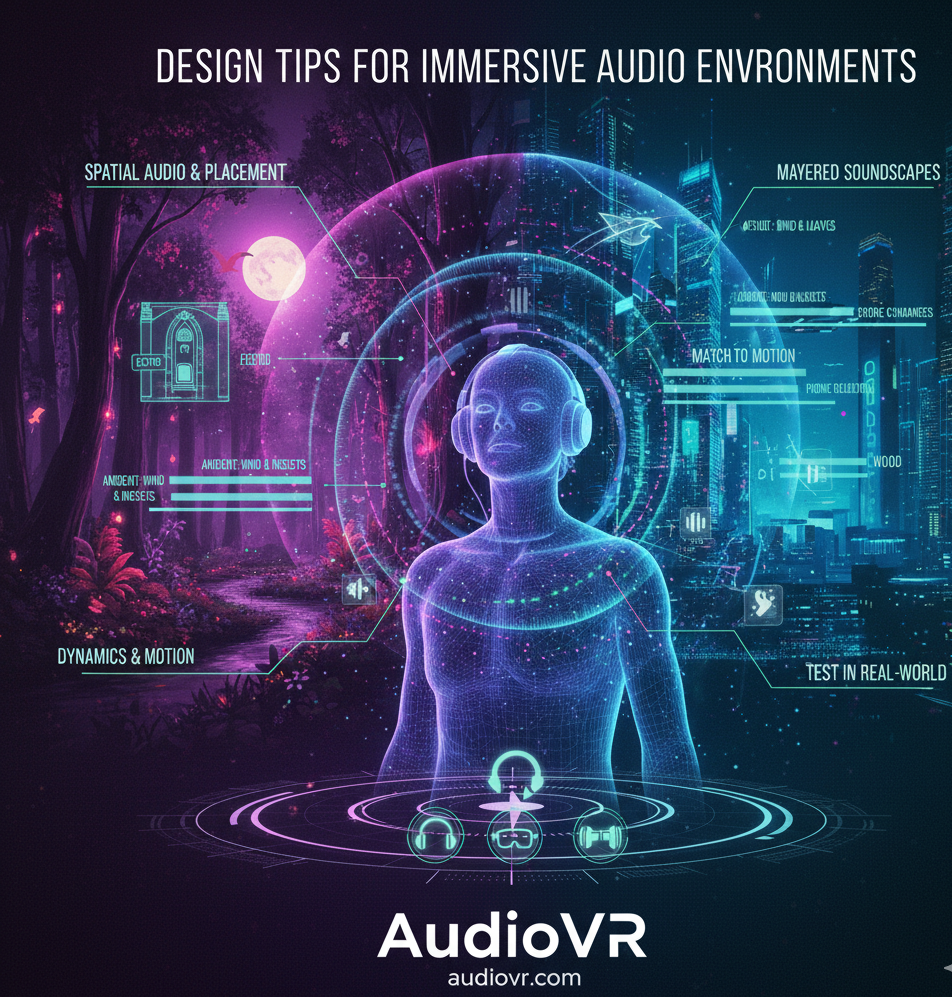
Design Tips for Creating Immersive Audio Environments
Creating an immersive audio environment — whether for VR, 360° experiences, interactive storytelling, or multimedia projects — goes far beyond simply adding sound effects. It requires thoughtful planning, spatial awareness, and an understanding of how users perceive sound in a virtual space. Immersive audio environments make listeners feel present, engaged, and emotionally connected to the world around them — and platforms like AudioVR showcase how powerful this can be when sound design is done right.
Here are practical and professional design tips to help you build richer, more convincing immersive audio environments:
🎧 1. Embrace Spatial Audio and Accurate Sound Placement
True immersion begins with spatial audio — audio that feels like it exists in three dimensions around the listener. Instead of flat stereo, spatial audio places sound sources in real 3D space, allowing listeners to hear direction, distance, and movement just like in the real world.
Tips:
-
Use binaural audio or ambisonics to simulate how sound naturally reaches our ears from every direction.
-
Match sound placement with the visual and narrative context, so footsteps, environmental effects, and dialogue feel anchored to the world.
-
Apply spatialization techniques intelligently — not every sound needs full 3D placement, but key elements should.
This strategy enhances realism and helps users orient themselves within the environment.
🌍 2. Layer Sounds for Depth and Realism
An immersive audio environment is rarely composed of a single sound. Instead, it uses multiple layers that work together to create rich, textured soundscapes.
How to Layer Effectively:
-
Ambient Layer: Base environmental sounds like wind, distant traffic, or natural ambiance set the foundation.
-
Middleground Elements: Supplement with subtle environmental effects — rustling leaves, distant voices, water flow — to add dimension.
-
Foreground Audio: Place key narrative or interactive sounds here — footsteps, dialogue, alerts — so they remain clear and engaging.
Layering carefully ensures that no single sound overwhelms the listener while maintaining clarity and depth throughout the mix.
🎚️ 3. Match Audio to Environment and Context
Realism depends on how natural your sounds fit the environment. Sound should reflect the physical properties of the virtual space.
Example Techniques:
-
Reverb and Echo: Apply appropriate reverberation to mimic small rooms versus wide open spaces.
-
Material-Based Effect Sounds: A footstep on gravel should sound different from one on wood or carpet.
-
Occlusion and Distance Attenuation: Sounds should become softer and muffled when hidden by walls or far away.
These adjustments help prevent audio from sounding “detached” or artificial, strengthening immersion.
🔊 4. Use Dynamics and Motion to Engage Listeners
Static soundscapes can feel lifeless. Introducing movement and dynamic variation keeps the environment alive and responsive.
Actionable Tips:
-
Let sounds move through space rather than staying fixed — for example, footsteps passing by or birds flying overhead.
-
Change audio based on user interaction or position, so the soundscape evolves as the listener explores.
-
Include motion cues for important elements to guide attention naturally without overt visual hints.
Dynamic audio movement connects sounds more closely to the user’s experience, making environments feel responsive and alive.
🧠 5. Focus on Emotional Tone and Narrative Support
Audio shapes emotion more directly than visuals alone. Well-designed audio environments help set mood and support story moments.
Design Considerations:
-
Use harmonic and melodic audio elements to evoke atmosphere (e.g., tension, calm, suspense).
-
Vary textures and intensity to match scene pacing or narrative beats.
-
Tie audio shifts to story events to enhance emotional impact.
This approach ensures your soundscapes aren’t just realistic — they’re also meaningful in how they connect to the listener’s experience.
🔍 6. Test in Real-World Conditions
Designing immersive audio isn’t a studio-only task. Sounds can behave differently depending on playback setup (headphones, VR headsets, speakers, etc.).
Testing Best Practices:
-
Check audio on multiple devices to ensure consistency.
-
Observe how spatial placement holds up during user movement and interaction.
-
Gather listener feedback to refine levels, clarity, and balance.
Testing in context helps identify issues that might detract from immersion or distract users from the experience.
🎯 Conclusion
Creating immersive audio environments is both an art and a science. It requires a blend of technical precision and creative intent — from spatial audio placement and layering to environmental consistency and emotional design. When these elements come together, audio becomes a powerful tool that not only enhances realism but also deepens engagement and narrative impact.
Whether you’re designing for VR, interactive stories, or multimedia environments, adopting these design tips will help you build rich, believable sound worlds that listeners feel inside, not just listening to.

 English
 Arabic
 French
 Portuguese
 Deutsch
 Turkish
 Dutch
Dutch
 Italiano
 Russian
 Romaian
 Portuguese (Brazil)
 Greek
Greek